On-device AI Android iOS coming soon Free and open source

The private AI assistant that runs offline on your phone

OfflineMate runs language models on your phone, so your chats, notes, and reminders work without a cloud service or an account. Download a model once, then keep using it in airplane mode.

Available now for Android 7.0 and later, on phones and tablets. iOS is coming soon.

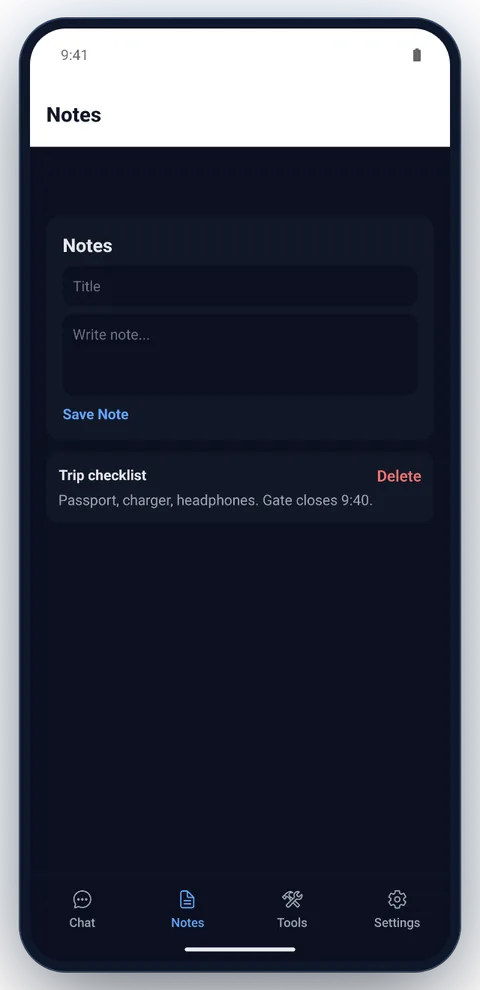
OfflineMate on an Android tablet: the chat list beside a conversation in which the Lite model answers a request for three tips to beat jet lag. OfflineMate on an Android phone: the notes screen with a saved trip checklist.
  • On deviceChat, notes and voice input run on your phone
  • 15 modelsSmolLM2, LFM, Gemma, Qwen, Llama and more, 3 that read photos
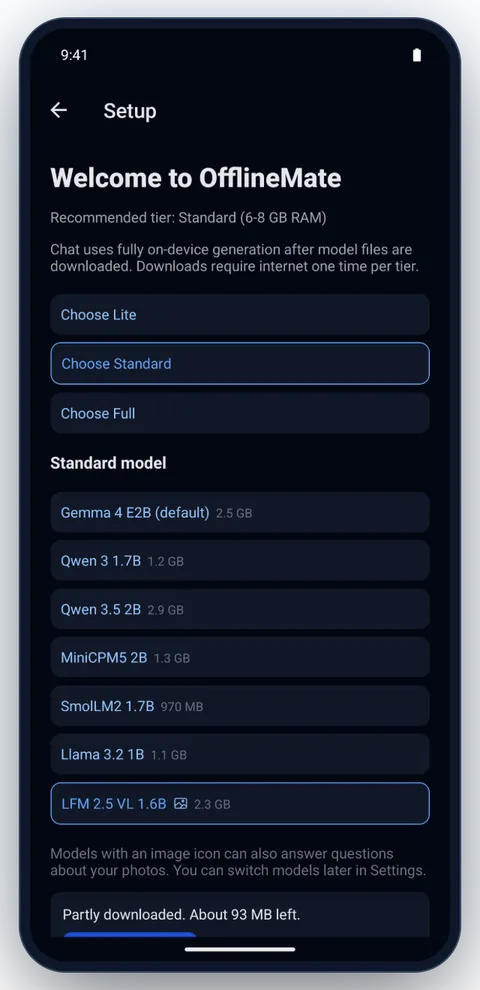
  • 3 tiersLite, Standard and Full, matched to your RAM
  • No accountFree, open source, MIT licensed

Features

An offline AI assistant that can do more than chat

Inference and personal context stay on your device. You choose a model tier at setup, and if a model fails to load, the app can fall back to a lighter tier.

Offline AI chat in three tiers

Lite, Standard, and Full use progressively larger quantized models so you can balance speed and quality. Replies stream in, and optional “thinking” text helps you follow reasoning before the final answer.

Example “Explain recursion like I’m new to code” (works offline after the model is downloaded).

Ask about a photo

Pick a picture from your gallery and ask about it. A vision model (LFM 2.5 VL or Gemma 4 multimodal) reads it on your phone. No photo permission, and the image never leaves the device.

Examples “What does this sign say?”; “What flowers are these?”

Private memory for your notes

On Standard and Full, questions can trigger local embedding and vector search (RAG) over your indexed notes. Lite matches keywords in your notes instead.

Example “What did I save about the dentist?”

Calendar, reminders, and alarms

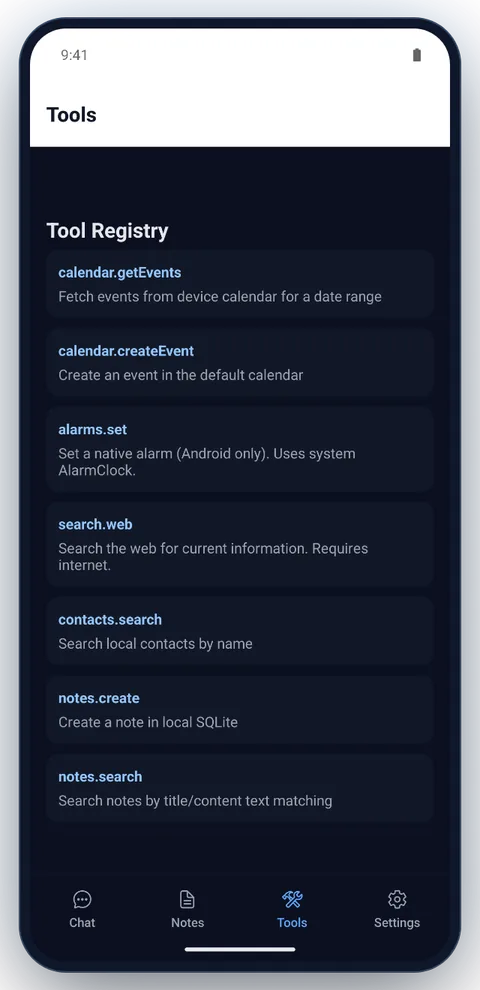
A validated planner can run allow-listed tools for your calendar, reminders, alarms, contacts, and notes, only with the permissions you grant.

Examples “Remind me in 20 minutes to stretch”; “What’s on my calendar tomorrow?”

Voice input on your device

Push-to-talk speech recognition uses Whisper on your phone, then follows the same path as typed text. Replies can be read aloud with your device’s text-to-speech voices.

Example “Add a note to pick up bread” after you release the mic button.

Web search you can turn off

For questions that need current information, OfflineMate can fetch DuckDuckGo-backed results, and weather from Open-Meteo (only the place name is sent). It doesn’t run on every message. It’s on by default, and one setting turns it off.

Example “Search for population of Tokyo”

Fast intent routing

Keyword routing steers reminders, memory lookup, or general chat without an extra router model, which saves latency and battery on small devices.

Example “Remind me…” is steered toward reminders early.

Multiple chats, kept only if you choose

Keep separate conversations, reopen any previous thread, and delete chats when you want. Chat retention is optional in settings and defaults to off.

Examples “Open chats”; “Delete this conversation”; “Keep chat history on device.”

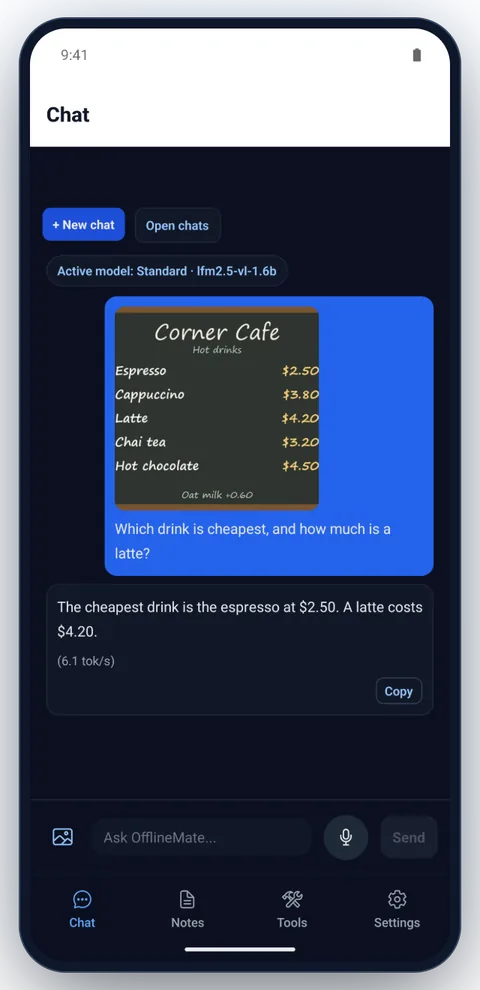
OfflineMate chat on the Standard tier with LFM 2.5 VL 1.6B, in airplane mode: a photo of a café menu board is attached to the question Which drink is cheapest, and how much is a latte? The reply reads the prices from the photo: espresso at $2.50, and a latte costs $4.20.
Ask about any photo, offline

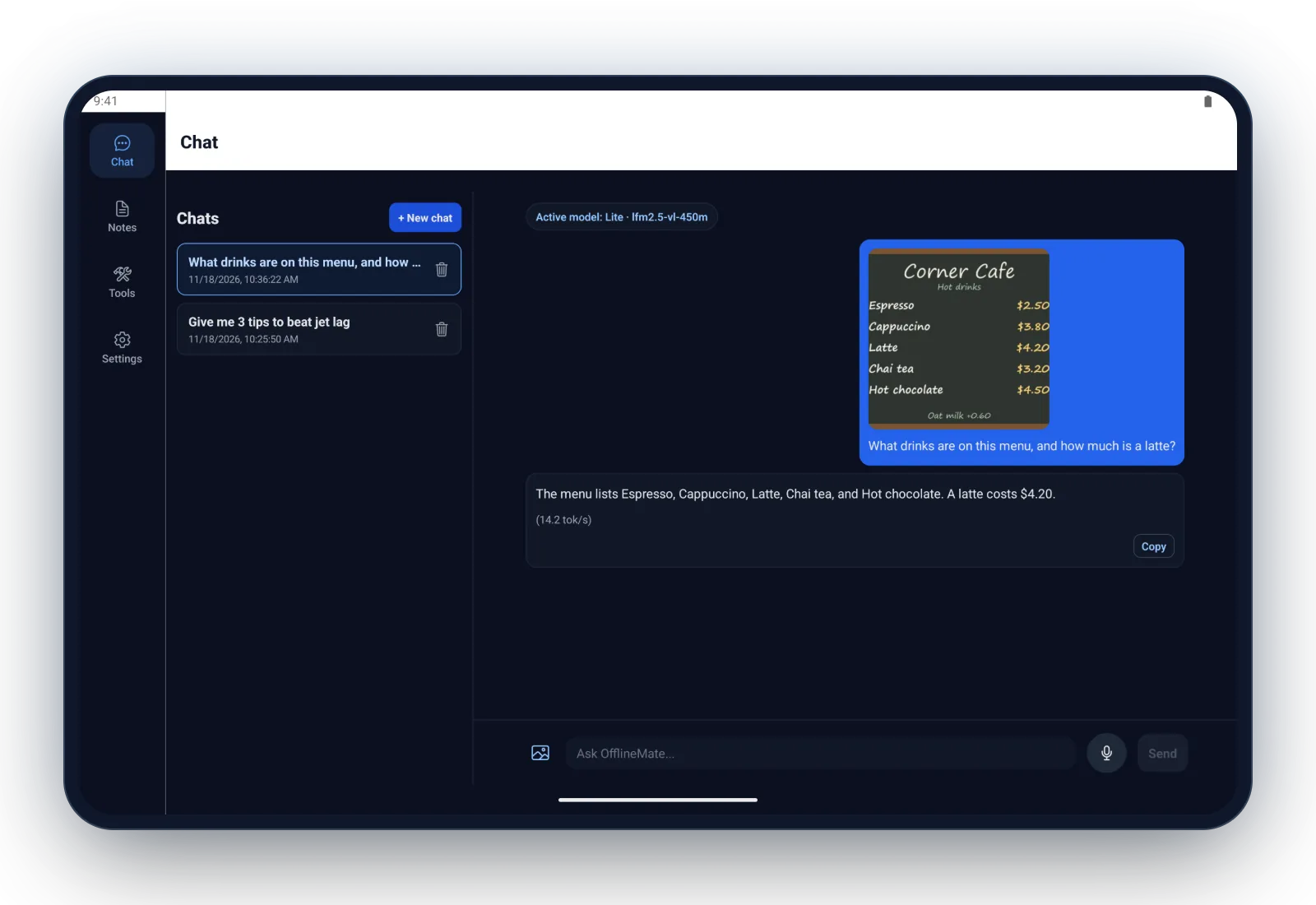
Tap the image button, pick a photo, and ask. Android’s photo picker hands over only the photo you choose, so OfflineMate needs no photo permission, and the copy it keeps is shrunk and stripped of location data.

  • “Which drink is cheapest?” reads the prices on a menu
  • “What flowers are these?” describes what’s in it
  • Send with no text for a description
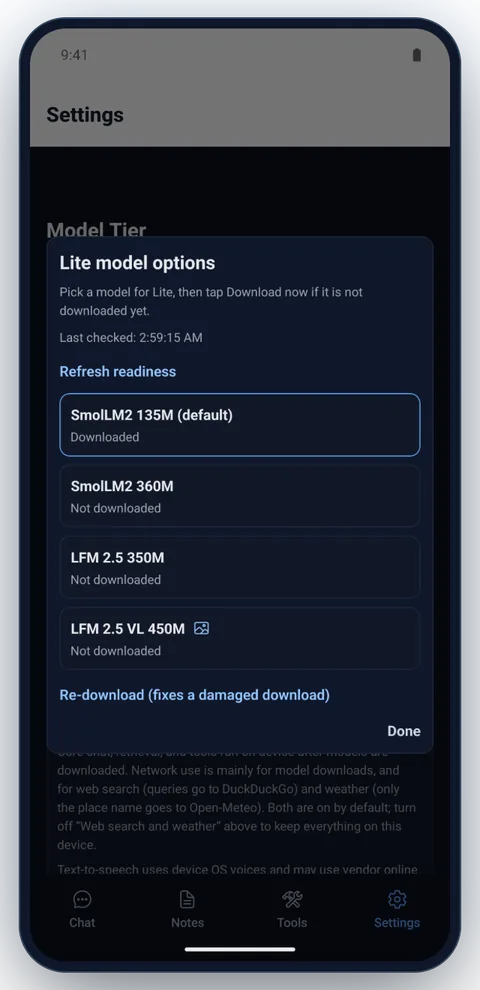
  • Look for the image icon in Settings: LFM 2.5 VL 450M (Lite), LFM 2.5 VL 1.6B, Gemma 4 E2B multimodal (Full)
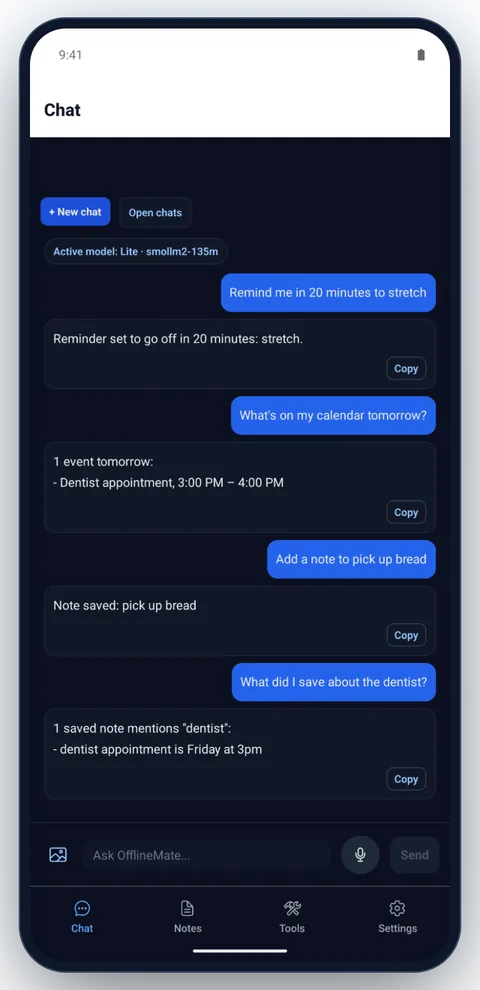
One OfflineMate chat on the Lite tier: a reminder set to go off in 20 minutes, one dentist appointment on tomorrow's calendar, a note saved to pick up bread, and the saved dentist note found when asked.

One chat, four tools

A real conversation on the smallest tier (SmolLM2 135M), with no account and no cloud. Each request goes to the right tool on the phone, and the reply comes back in seconds.

  • “Remind me in 20 minutes to stretch” sets a reminder
  • “What’s on my calendar tomorrow?” reads your calendar
  • “Add a note to pick up bread” saves a note
  • “What did I save about the dentist?” searches your notes

How it works

From install to airplane mode in three steps

  1. Choose a tier for your phone

    Pick Lite, Standard, or Full based on your phone’s memory, then choose a model for that tier.

  2. Download the model once

    The chat, speech, and search files download to your phone. This is the step that needs a connection. OfflineMate checks your free storage, asks before using mobile data, and shows the size, speed and time left, with a Cancel button.

  3. Use it anywhere

    Chat, search your notes, and set reminders with or without a signal. Your phone does the processing.

Requirements

Which tier and models fit your phone?

RAM decides what your phone can run well. Each tier has a default model and alternatives you can download. Sizes are estimates for the chat model file. Models download from Hugging Face, so select a name to see its source. Learn how to choose a model.

Preview

See OfflineMate in action

A 35-second screen recording from the Android app, then a closer look at each screen.

Airplane mode on, an answer generated on the phone, a private note, and the model tiers. Recorded on an Android emulator with the Lite tier (LFM 2.5 350M); answers are shown at real speed.
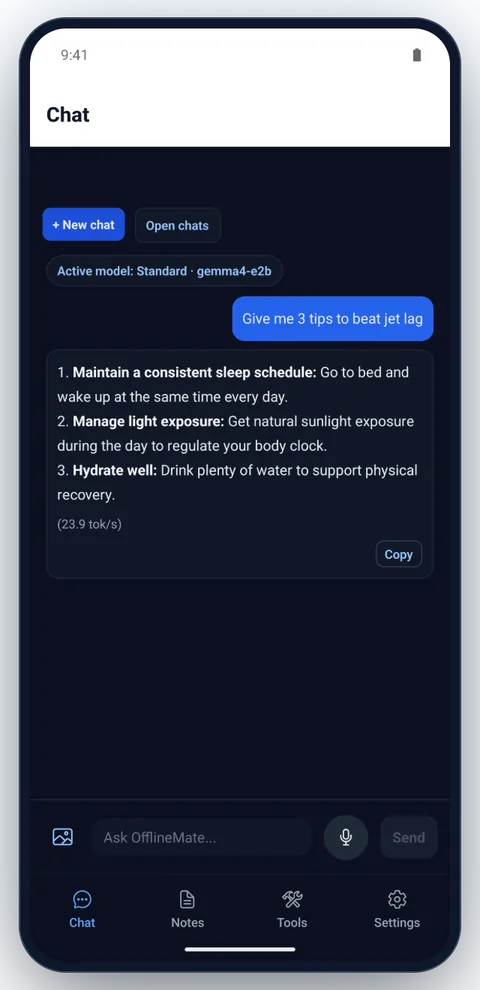
OfflineMate chat screen on the Standard tier: Gemma 4 E2B on the phone answers a request for three tips to beat jet lag. The image button sits next to the message box.
On-device chat, even in airplane mode
OfflineMate reading a photo of a café menu: the on-device vision model says the cheapest drink is espresso at $2.50 and a latte costs $4.20.
Ask about a photo, on the device
OfflineMate notes screen with a saved trip checklist note.
Notes saved on the device
OfflineMate setup screen recommending a tier for the phone's RAM, with the Lite, Standard and Full choices and the Lite models.
Setup recommends a tier for your phone
OfflineMate Lite model options showing SmolLM2 135M and LFM 2.5 350M downloaded, with a Re-download action.
Pick and download models per tier
OfflineMate tools screen listing calendar, alarm, web search, contacts, notes and reminders tools.
Built-in tools
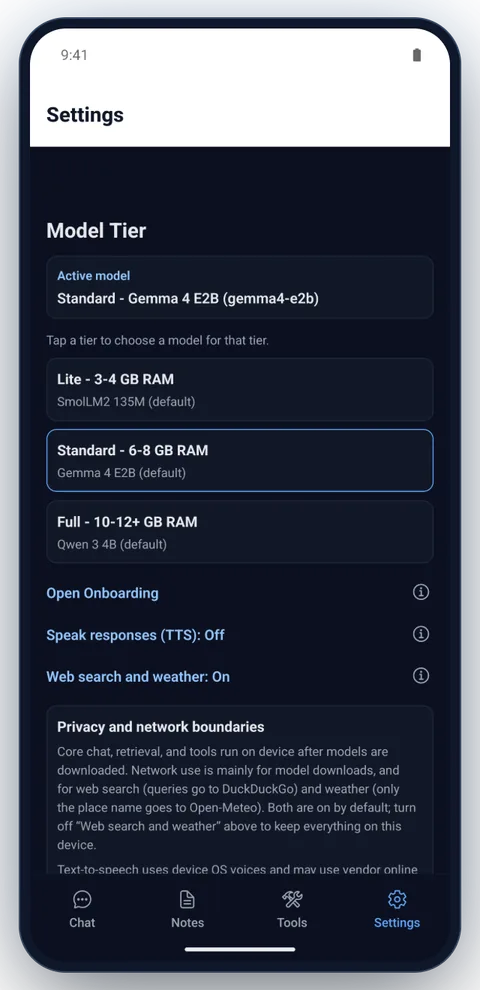
OfflineMate settings screen: the model tiers, then Open Onboarding, Speak responses and Web search and weather, each with an info button, and the privacy and network boundaries panel.
Settings and privacy boundaries · every option explained

Made for tablets too

On a tablet, a side rail replaces the bottom tabs, your chats sit beside the conversation, and notes open next to the list.

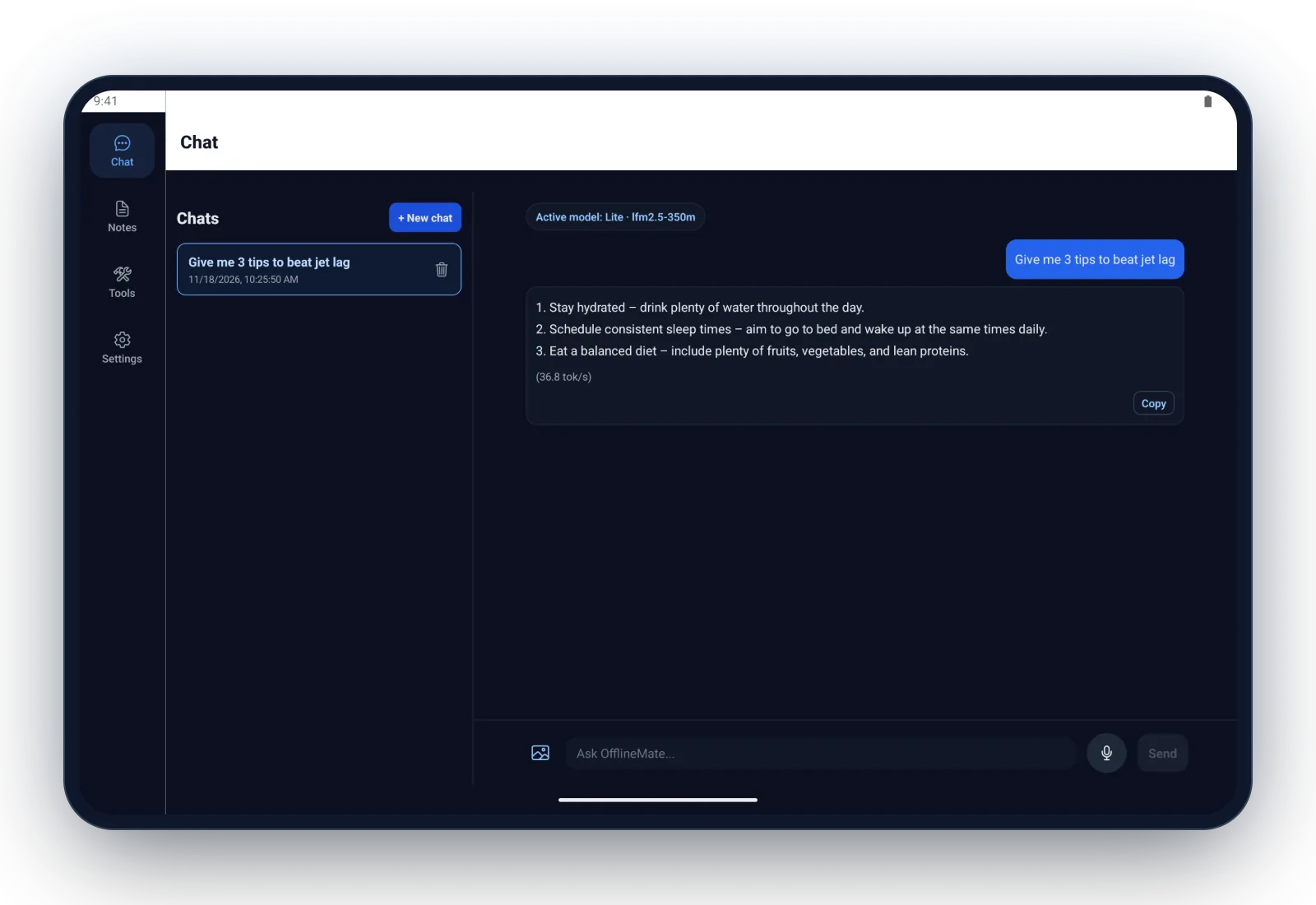
OfflineMate on a tablet: the chat list on the left and a conversation on the right, with the Lite model's answer about jet lag.
Chats and the conversation side by side
OfflineMate on a tablet with LFM 2.5 VL 450M on the Lite tier: a café menu photo asked "What drinks are on this menu, and how much is a latte?", answered with the five drinks and "A latte costs $4.20."
Ask about a photo
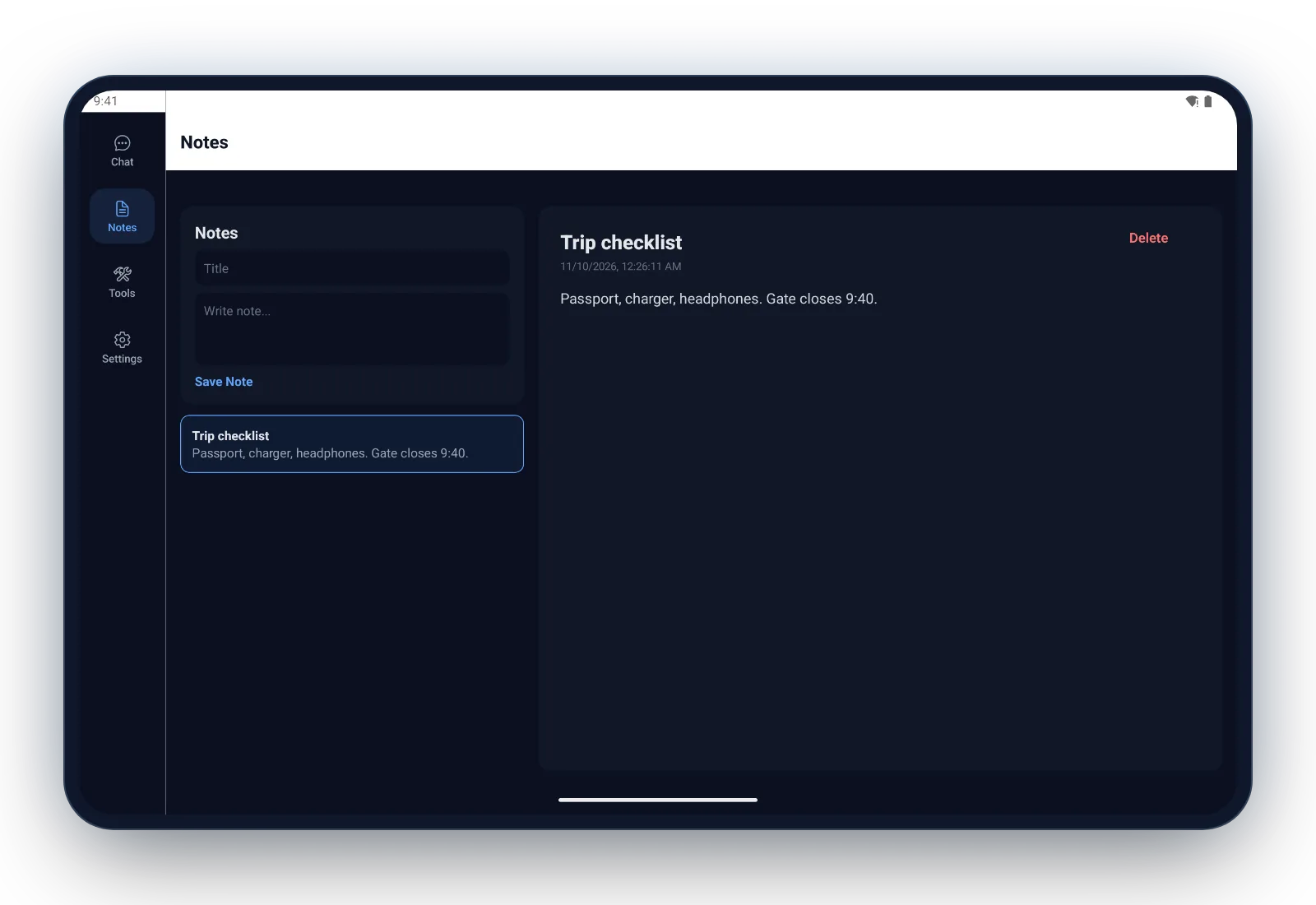
OfflineMate notes on a tablet: the note list beside the open trip checklist.
Notes next to the list
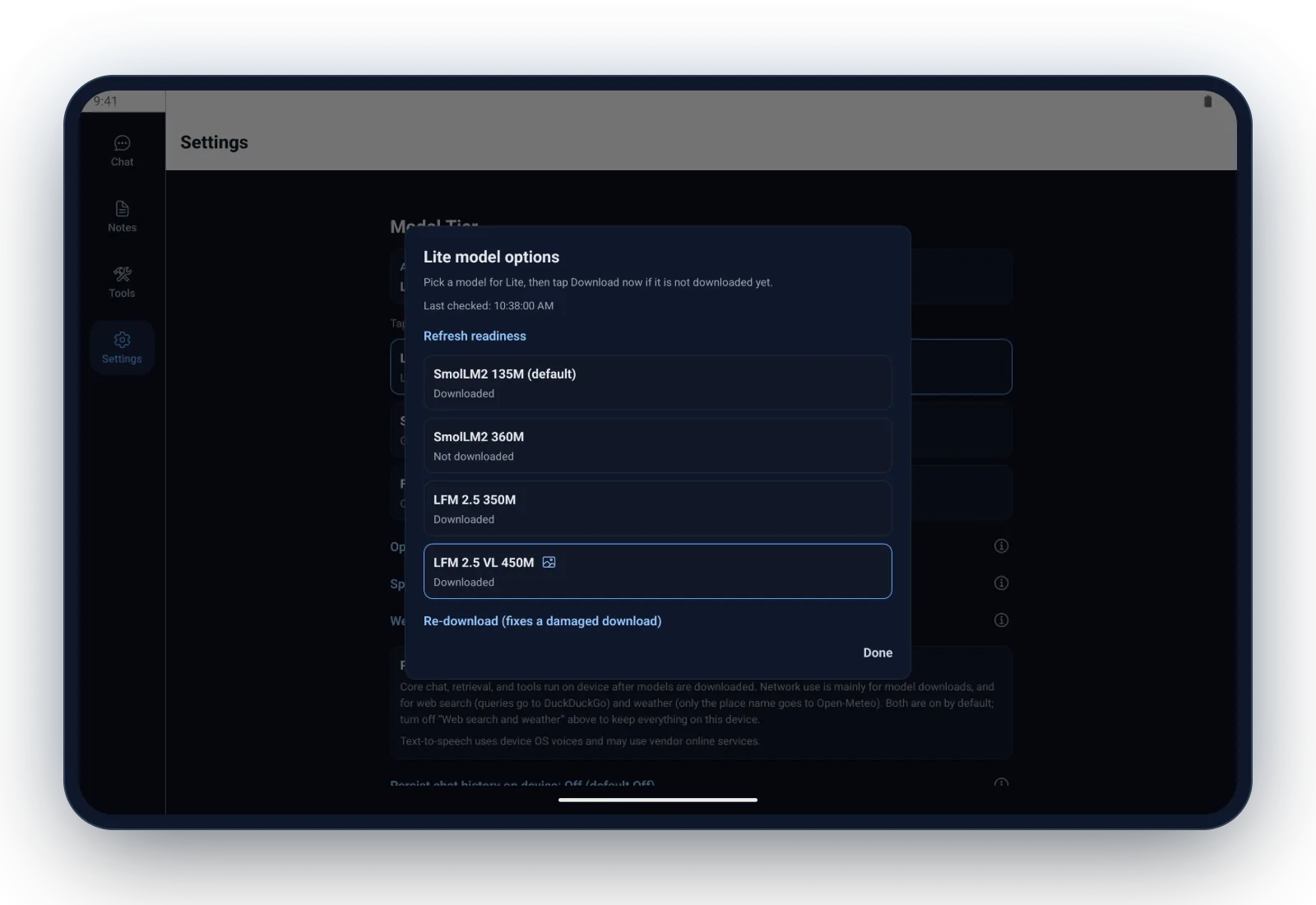
OfflineMate model picker on a tablet: the Lite model options in a centred dialog, with an image icon on LFM 2.5 VL 450M.
Model picker at a readable width

Get the app

Get OfflineMate

Install OfflineMate free from Google Play. It’s also open source under the MIT license, so you can read the code and build the Android app yourself.

FAQ

Common questions about offline AI on your phone

Does OfflineMate really work without internet?

Yes, once a model is downloaded. Chat, notes search and device tools run on your phone, so they keep working in airplane mode. You need a connection for the first model download and for web search.

Are my chats sent to a server?

No. OfflineMate has no cloud service that stores your chats, and responses are generated on your device. When web search runs, the search query goes to the search provider. Web search is on by default and can be turned off in Settings. Read the privacy summary.

Is OfflineMate free?

Yes. OfflineMate is free and open source under the MIT license. It needs no account and no subscription.

Which Android phones can run it?

OfflineMate supports Android 7.0 and later. The model tier you can use depends on memory: Lite targets 3 to 4 GB of RAM, Standard targets 6 to 8 GB, and Full targets 10 to 12 GB or more.

How much storage does it need?

The default models download about 430 MB on Lite, 2.5 GB on Standard and 2.6 GB on Full. Alternatives range up to 1.3 GB on Lite, 2.9 GB on Standard and 4.2 GB on Full. OfflineMate checks your free storage before it starts.

Which AI models does it use?

The defaults are SmolLM2 135M on Lite, Gemma 4 E2B on Standard, and Qwen 3 4B on Full. Each tier also offers alternatives, including Llama 3.2, LFM 2.5, MiniCPM5 and Qwen 3.5. Compare all models.

Can OfflineMate understand photos?

Yes, with a vision model: LFM 2.5 VL 450M on Lite, LFM 2.5 VL 1.6B on Standard and Full, or Gemma 4 E2B multimodal on Full. Pick a photo from your gallery and ask about it. The image is read on your phone and never uploaded.

Does OfflineMate need access to all my photos?

No. It opens Android’s photo picker, so you choose one photo at a time and the app only gets that one. It asks for no photo or storage permission. The copy it keeps is shrunk and has its location data removed.

Is it as capable as a cloud AI assistant?

No. Models small enough for a phone are less capable than large cloud models and can make mistakes, so check anything important. In exchange, your conversations stay on your device and work without a connection.

Is OfflineMate available on iPhone?

Coming soon. OfflineMate runs on Android today, and an iOS version for iPhone is on the way.

Trust

Open source, so you can check the claims

The source code, documentation, privacy policy, and terms all live in the repository, so you can verify the app’s behavior, permissions, and data flows yourself.

Read the full privacy policy →