 OfflineMate
 settings explained
Every option in the Settings tab, what it does, and what it means for your privacy. In the app, tap the ⓘ next to any option for the same explanation.
The Settings tab
Model tier
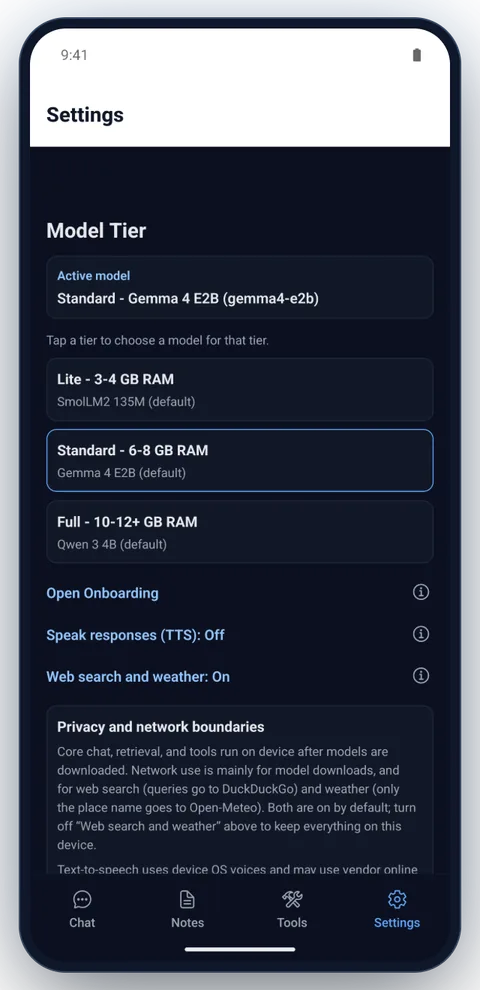
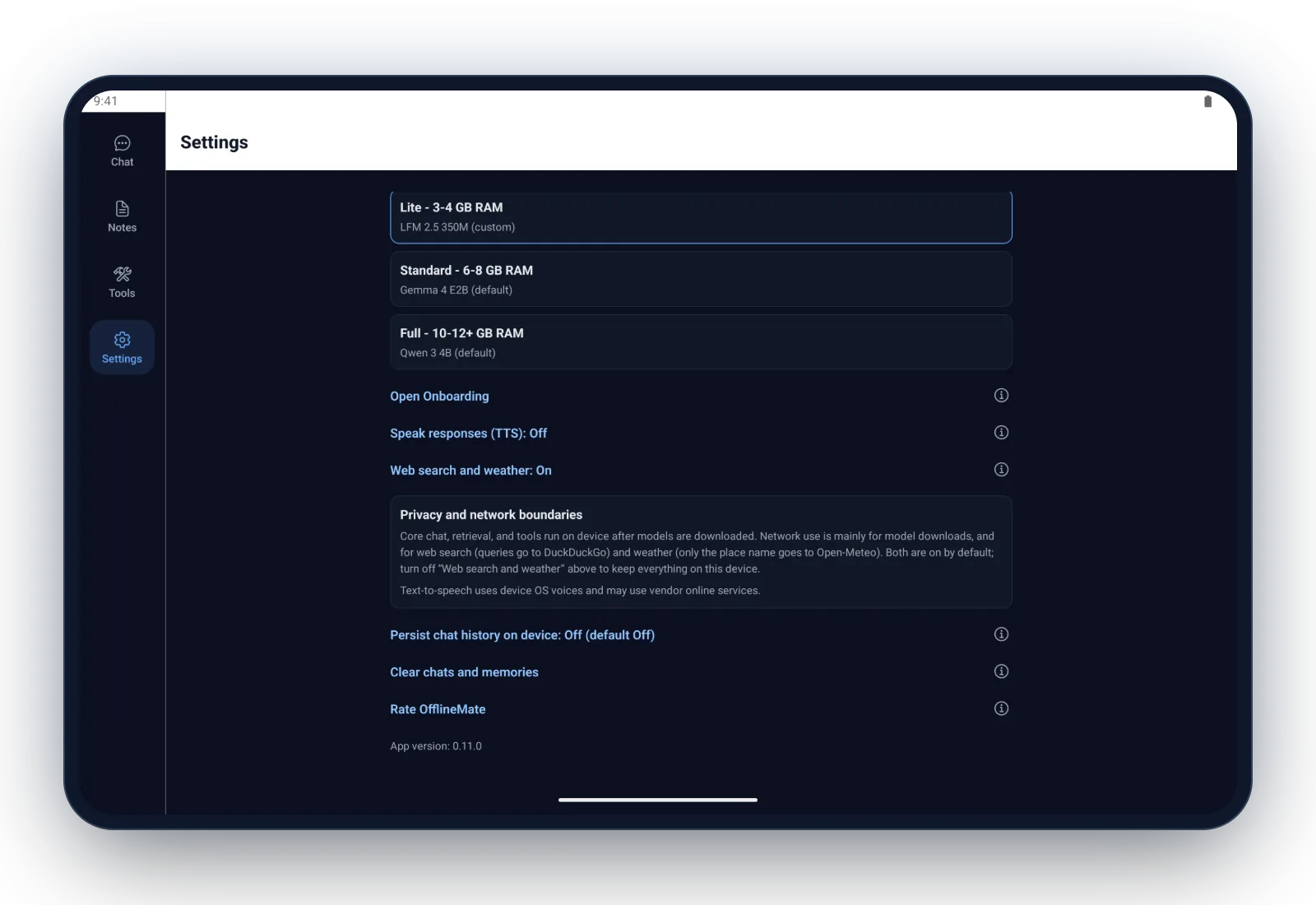
The top of Settings shows the active model and the three tiers: Lite (3–4 GB of RAM), Standard (6–8 GB) and Full (10–12 GB or more). Tap a tier to pick a model for it and download it if needed. Larger models give better answers but need more memory and storage. See every model and its size.
Models with an image icon can read photos: attach one from your gallery with the image button next to the message box.
Before a download starts, OfflineMate checks your free storage and asks first if you’re on mobile data. While it runs you see the size, speed and time left, with a Cancel download button. Hide closes the model list and the download keeps going, shown at the top of Settings. Keep the app open until it finishes; an interrupted download starts over.
Options
- Open Onboarding
- Runs the first-time setup again: pick a tier and download its model. Your chats, notes and settings stay.
- Speak responses (TTS) Off by default
- Reads each reply aloud with your phone’s built-in voice. Depending on your phone and voice settings, the voice provider may process the text online.
- Web search and weather On by default
- When on, questions that need current information are looked up online. Web searches go to DuckDuckGo, and the query can be your whole message. Weather questions send only the place name to Open-Meteo. Turn it off to keep every request on your phone; this is the only switch that sends your words anywhere.
- Persist chat history on device Off by default
- When on, your chats are saved on your phone and are still there after you close the app. When off, chats are cleared when the app closes, and turning it off deletes saved chats. Nothing is uploaded either way.
- Clear chats and memories
- Deletes all chats and every saved memory on your phone, after you confirm. Memories are messages that start with “remember” (for example “remember my locker code is 42”); OfflineMate keeps them for later answers even when chat history is off. Notes aren’t affected. To delete one chat, open Open chats in the Chat tab and swipe left or tap Delete.
- Rate OfflineMate
- Opens OfflineMate’s Google Play page so you can rate or review it.
Privacy and network boundaries
The panel in Settings sums up what uses the network. Chat, note search and the tools run on your phone once a model is downloaded. The network is used to download models (from Hugging Face) and, while Web search and weather is on, for web search and weather.
Your notes, contacts, calendar and voice never leave your phone. There’s no account and no OfflineMate server. Read the privacy summary or the full privacy policy.